OPEN SOURCEApache 2.0 · Runs on your machine

An AI on your WhatsApp nobody can tell is AI.

It writes with your punctuation, your openings and your rhythm, measured on your own messages. It answers whoever has waited longest first and delivers with read receipts and typing. You approve first or leave it on auto.

or install it free on your own machine

Maré Academygroup · 4 people with approval

Caio QueirozI put the module 2 material in the folder, can you upload it today?

AI · 3 bubbles

sure, uploading it now✓✓

lesson 3 was missing the PDF, I just made it✓✓

I'll let you know as soon as it's live✓✓

Caio QueirozPerfect, thanks for the quick turnaround

  • waiting · Kairos Tech · 19 min
  • AI replied · Maré Academy · 38 s
  • waiting for your OK · Vértice Saúde

Open source, in your agent and on your infra

  • 36tools in the WhatsApp MCP server
  • $0license: Apache 2.0, no subscription
  • 24huptime with the included Dockerfile, on Railway or your own server
  • ∞WhatsApp numbers, one collector per account, no paid official API

Works with Claude CodeClaude DesktopCodexCursorQwen Codeany MCP client

Client group chats on WhatsApp were not built to scale.

Forty open groupsVSKTRZNSMA99+, a four-minute voice note in the middle of the thread, the bug screenshot lost in the scroll. And the client who wrote three days ago that nobody saw.

A chatbot does not fix that. Canned answers read like a robot, clients notice and the relationship cools down.

What you need is someone who reads everything, answers like you and never leaves anyone waiting.

In 55 seconds

How the WhatsApp AI agent works

Nobody waits

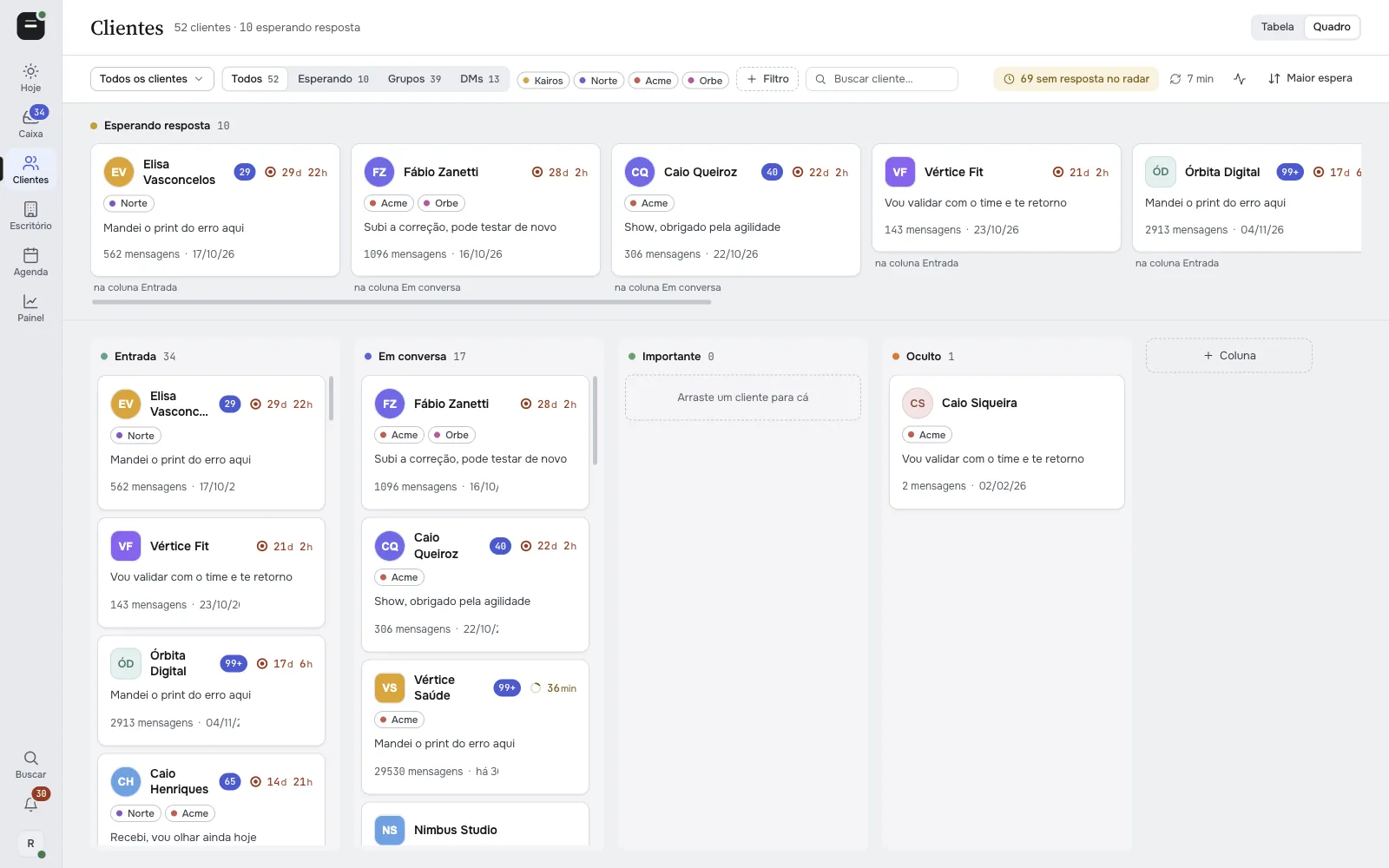
Whoever has waited longest rises to the top.

  1. 1.1A client's group and their private chat show up together.
  2. 1.2Back-to-back messages collapse into one block.
  3. 1.3Voice notes arrive transcribed.
Waiting for youoldest first5 in queue
  • RZRenata ZanettiOnly the payment integration is missing3d 22h
  • JFJade FinançasGot it, I'll look at it today3d 8h
  • OEÓrbita Educaçãovoice note · transcribed3d 1h
  • PSPriscila SiqueiraCan you send me the new version of the proposal?1d 2h
  • KTKairos TechI sent the error screenshot here19h 32m

Writes like you, delivers like a person

The AI reads the history and writes with your punctuation, your openings and your rhythm, measured on your own messages.

  1. 2.1Before anything leaves, a review blocks robot clichés, repeated apologies and duplicate messages.
  2. 2.2Delivery comes with read receipt, typing and pauses.
  3. 2.3It stops on its own if the client writes again or you answer from your phone.
Maré Academygroup

Caio QueirozI put the module 2 material in the folder, can you upload it today?

AI · 3 bubbles

Module 2Lesson 1: welcome and ground rulesLesson 2: hands-on exercisesLesson 3: review with a final quiz✓✓

it's live, the quiz grades itself and the score goes to the student dashboard✓✓

the Saturday class already got access by email✓✓

delivered 3 of 3read · typing · pause

You stay in control

In Confirm mode, the default, nothing is sent without your OK.

  1. 3.1In Autonomous mode, turned on per chat, the AI answers on its own within the limits you set.
  2. 3.2Every message shows who wrote it: you from your phone, you from the panel, a team member or the AI.
Vértice Saúdechat

Yasmin SiqueiraIs today's deploy live yet?

AI draft

Yes, it went up a little while ago. Can you test the checkout and let me know?

Yes, it went up a little while ago. Can you test the checkout and let me know?

AI replied on its own · 38 s

you · phoneyou · panelteamAI

Anti-robot engine

Five filters between the AI and your client. That is why nobody can tell it is AI.

  1. 01

    Your voice

    Writes the way you write, measured on your own messages.

    • punctuation
    • openings
    • sentence length
  2. 02

    Client conduct

    Decides what to answer and what to leave, like someone experienced.

    • doesn't agree with everything
    • owns mistakes without groveling
    • no promises outside scope
  3. 03

    Code review

    More than 25 rules block robot tells before sending.

    • em dashes
    • greeting at the wrong time
    • repeated bubble
  4. 04

    Posture

    Reads the last 60 messages and blocks what only context reveals.

    • empty "got it"
    • free agreement
    • weak reply to pushback
  5. 05

    Human delivery

    Goes out at a person's pace and stops if someone writes.

    • read receipt and typing
    • pauses between bubbles
    • *typo fix

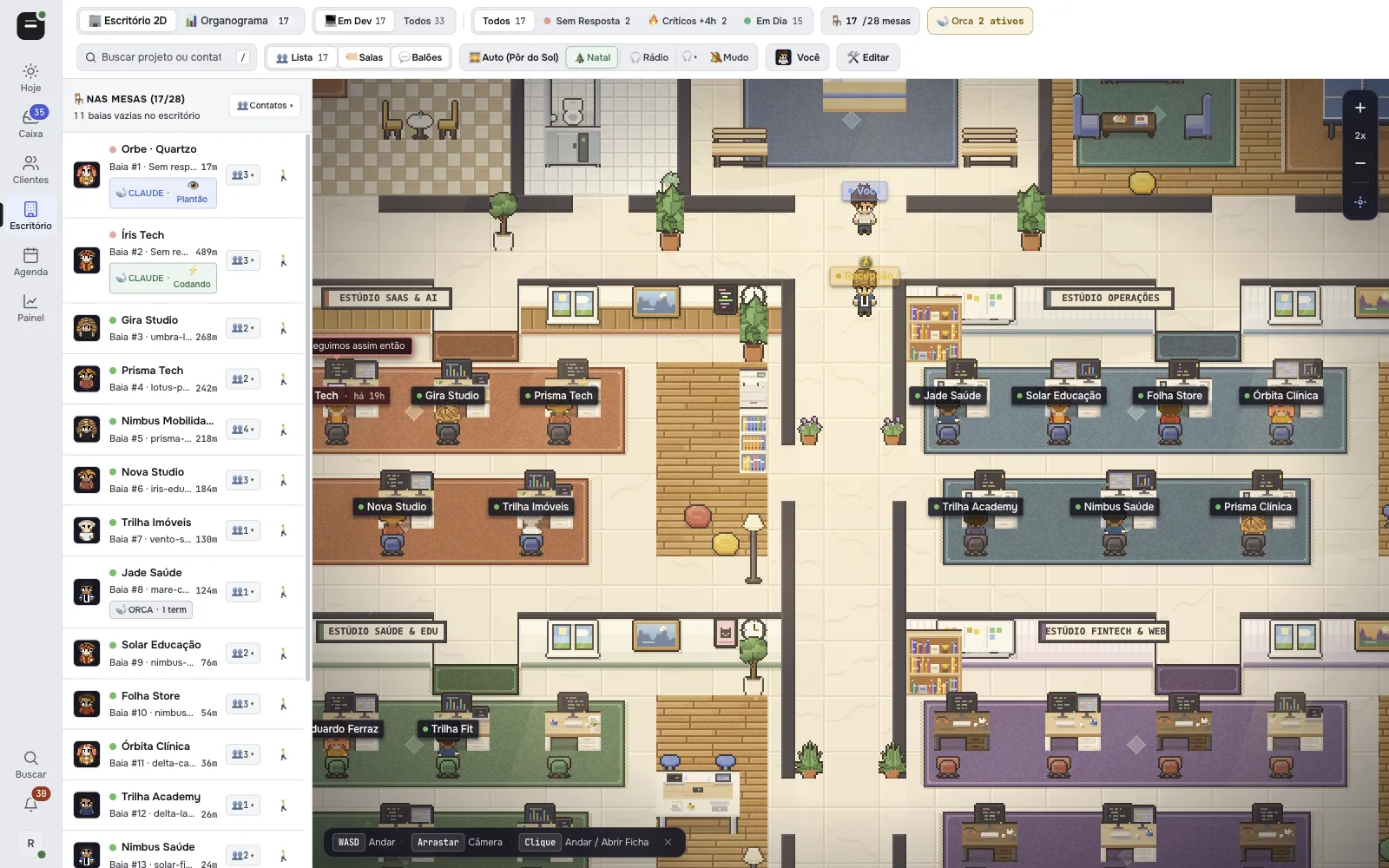
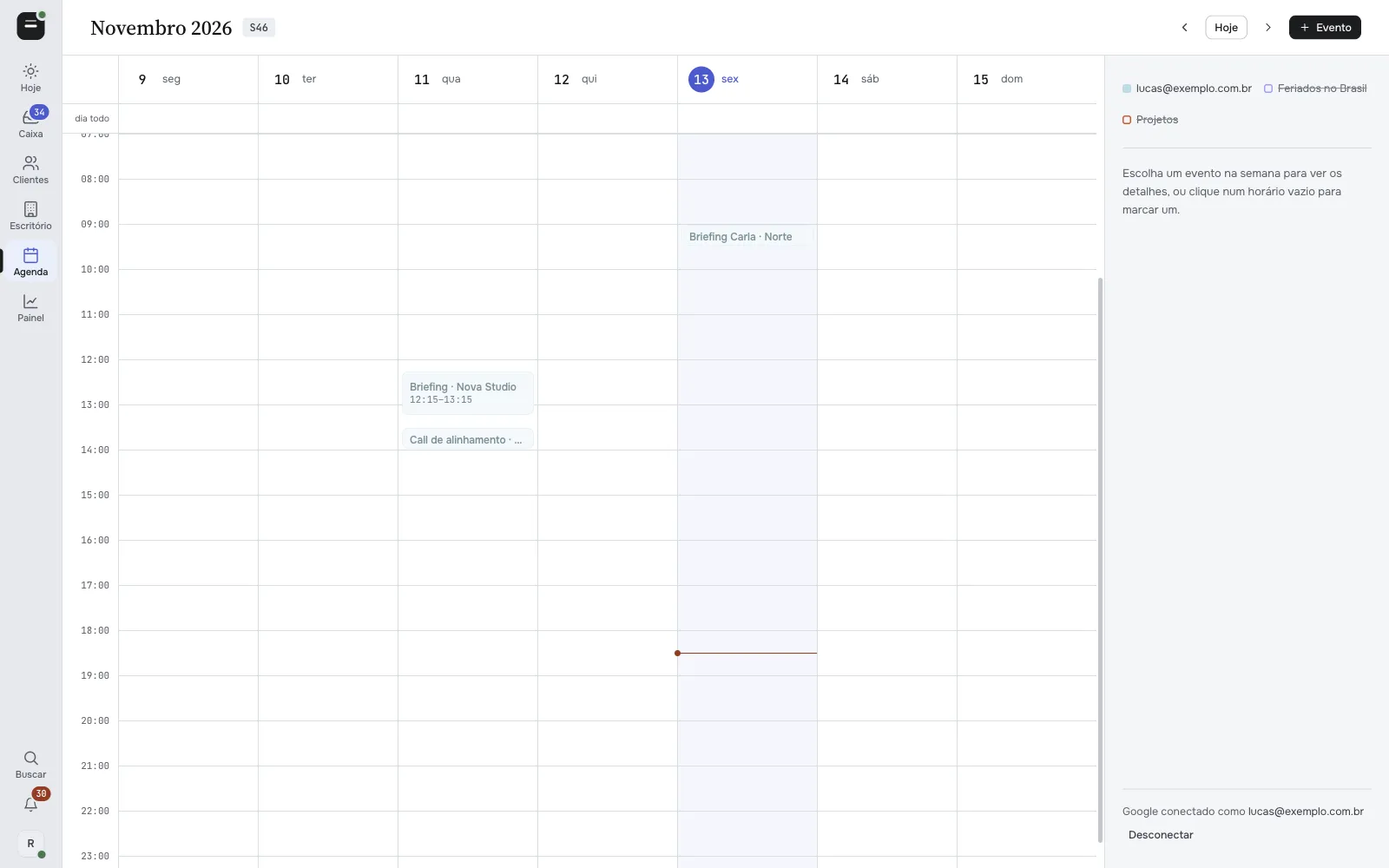
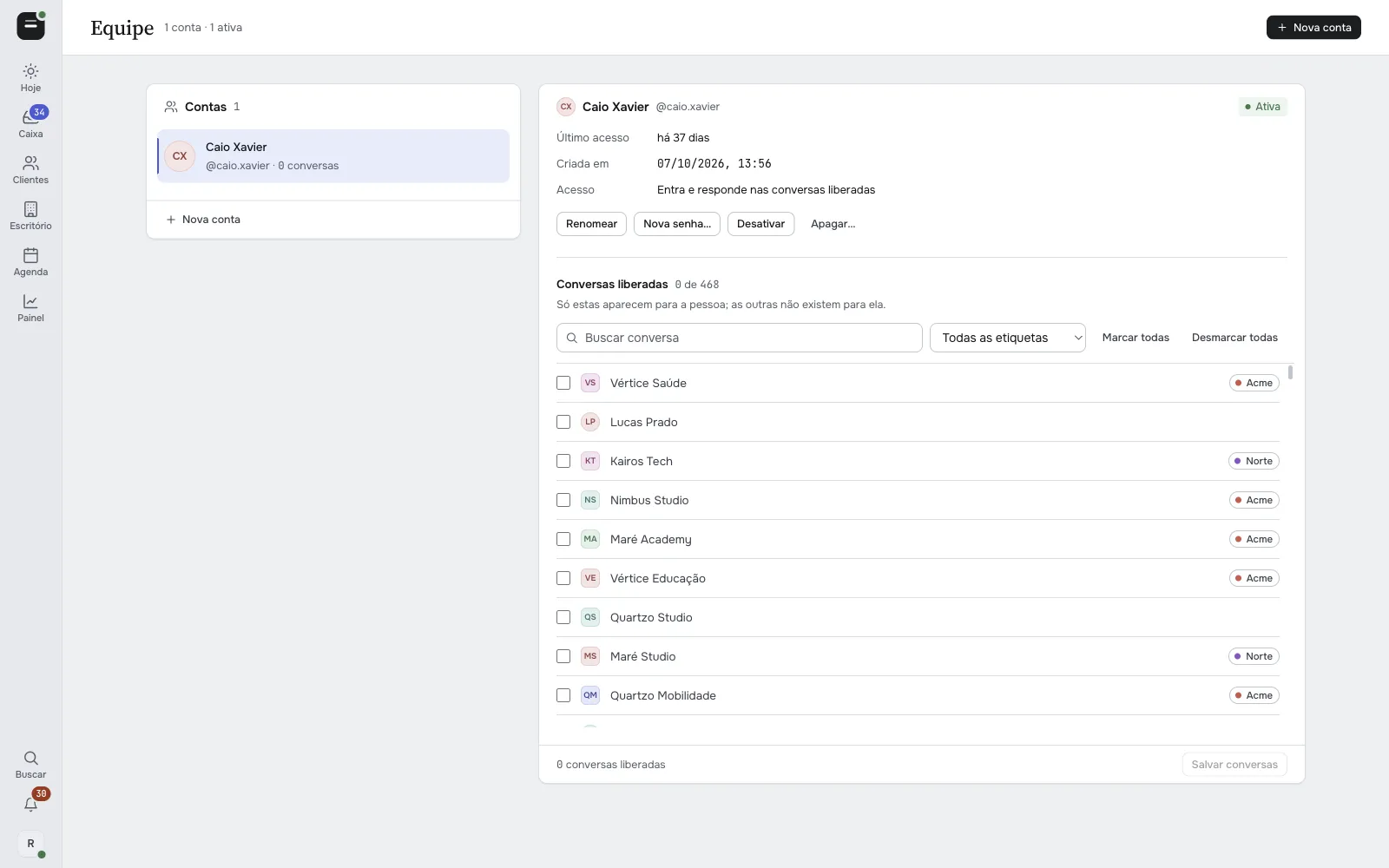
An open-source WhatsApp CRM, screen by screen

A WhatsApp MCP server for your coding agent.

WACrew ships a WhatsApp MCP server with 36 tools. It works in any MCP client: Claude Code in the terminal, Claude Desktop, Codex, Cursor and more. The agent reads the groups, transcribes voice notes, looks at the bug screenshot, watches the video and answers the client without you opening WhatsApp. Also on npm: npx -y wacrew-mcp.

Optional extra: if you use Orca, each project's agent terminal also shows up right in the client card.

Talking to the agentMCP
what did the Clínica Lume client ask for today?
ler_mensagens · transcrever · ver_imagem
tell them the fix goes live tomorrow at 10am
preparar_resposta · responder
→ ticket, delivery in ~40 s
Register the MCP server in the projectcp .mcp.json.example .mcp.json
36 toolsweb/mcp/server.ts
Read
listar_gruposler_mensagensbuscarlistar_contatoscaixa_de_entradanovidadesresumo_do_dialer_notasestado_triagem
Media
transcreverver_imagemver_videoassistir_videoler_documento
Reply
preparar_respostarevisar_textoresponderresponder_midiaeditar_mensagemreagirstatus_enviocancelar_envio
Triage and CRM
marcar_resolvidosilenciar_grupoanotaretiquetaralertar_chatdefinir_mododefinir_contratoregistrar_featuredashboardeditar_perfil
Calendar
agenda_veragenda_marcaragenda_editaragenda_apagar

Optional extra · Orca

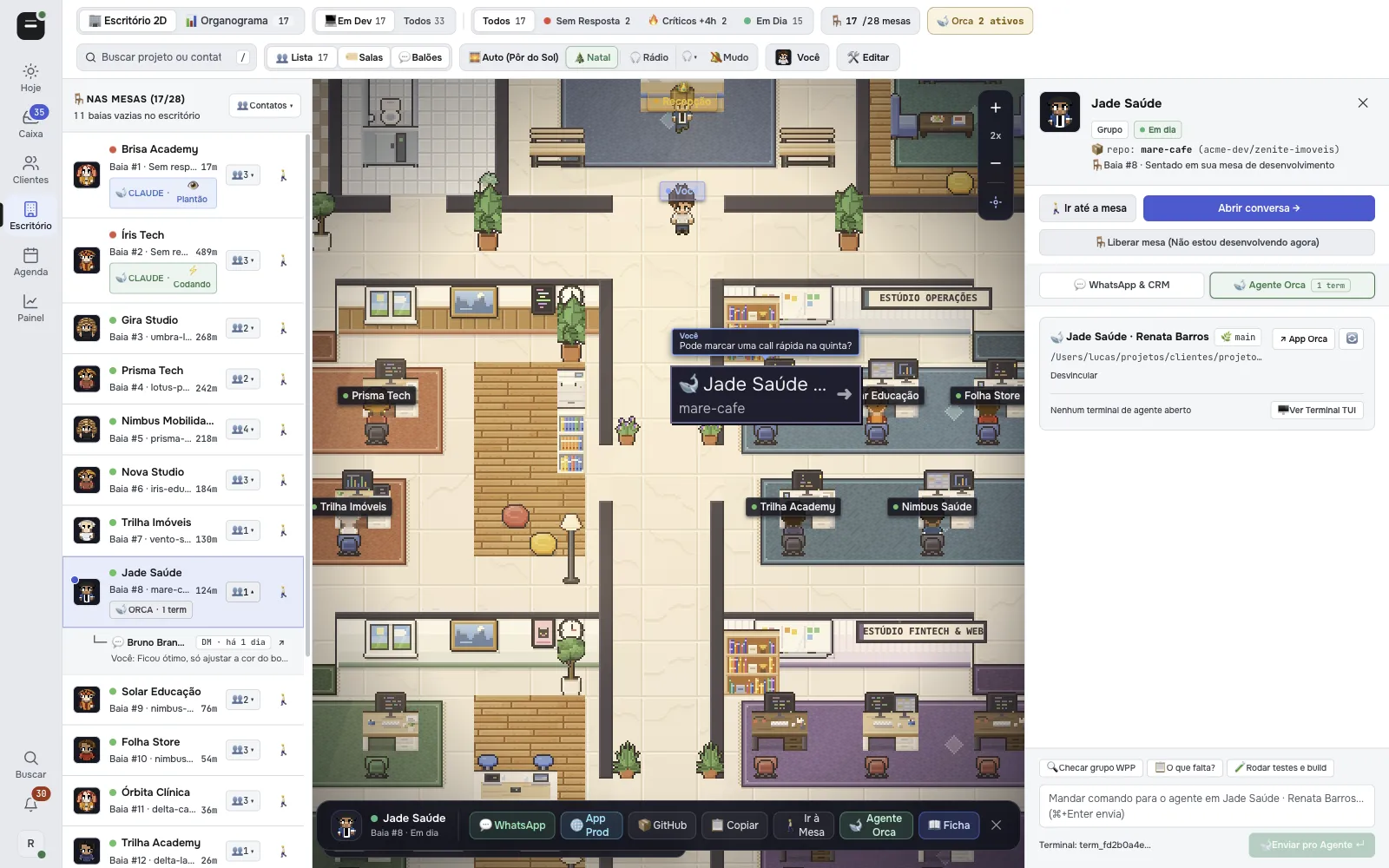
Client card in the office with the Orca Agent tab open, showing the project repository and the field to send a command to the agent

Pick where it runs.

All three paths lead to the same panel.

On a VPS

One command on the server and it stays up 24/7. The WhatsApp session and the data live in a volume and survive updates.

git clone https://github.com/sumioshi/wacrew && cd wacrew && PANEL_USER=admin PANEL_PASS=change-this-password docker compose up -d

Then open http://your-server-ip:3000/config and sign in as admin with that password.

In the cloud

Deploys on Railway with a volume, a login and a generated password, and stays up 24/7 without your computer.

  1. 1Click the button
  2. 2Open the panel
  3. 3Scan the QR code

On your computer

To try it now, with Node installed on your machine.

git clone https://github.com/sumioshi/wacrew && cd wacrew && npm install && npm --prefix web install && npm run dev

Then open localhost:3000/config and scan the QR code.

FAQ

Will my clients notice it is AI?

That is the point, they should not. It writes in your voice, measured on your own messages, goes through more than 25 rules that block robotic tells and delivers at a human pace, with read receipts, typing and pauses. And if someone asks straight out whether it is AI, it does not lie or pretend to be you. It stops replying and calls you.

Is this the official WhatsApp API?

No. WACrew connects as one more linked device on your account (WhatsApp Web multi-device, through Baileys). It is built for people who already talk to you. Bulk sending and cold outreach can get the number banned.

Where do my conversations go?

They stay on your machine or your server. Text only goes to an AI provider when you turn the AI on, using your own key.

How much does it cost?

The code is free under the Apache 2.0 license. You only pay for AI usage at your provider and for the server, if you run it in the cloud.

Can I review before it sends?

Yes. Confirm mode is the default: the AI drafts and you approve or edit.

Can my team use it?

Yes. Each team member signs in with their own login and only sees the chats you allow.

Does it import old history?

No. Capture starts when you connect the number.

Do I need a Mac?

Only to transcribe audio on your own machine (Apple Silicon). Elsewhere, transcription goes through an API. The panel and the collector run on any system.

Another question?Open an issue on GitHub →

Photo of Rodrigo Sumioshi

Created and maintained by

Rodrigo Sumioshi

I built WACrew to organize client support on WhatsApp and opened the code so you can run it your way.

No client left waiting. And none of them can tell.

Free, open source and running on your machine.

The same pixel-art office at night, every desk with a green lamp and a person leaving with a mug

End of the workday

Every desk is green.